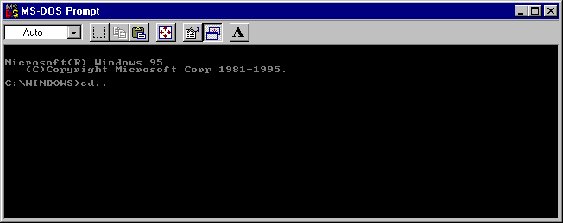
How to list files in a directory of the C drive
2. At C:/Windows type cd.. This will take you to the directory above windows, which should be all of the c drive.
3. The type cd Name of folder. This will change the current folder to the one you have chosen.
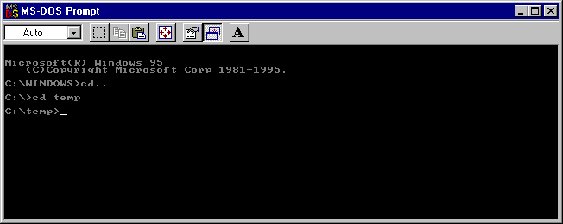
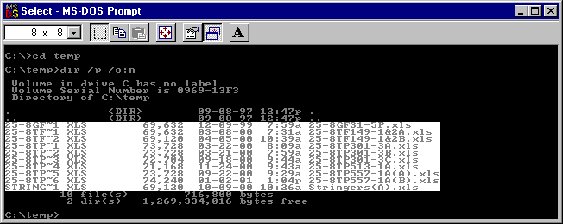
4. Then type dir /p /o:n Also /w could be added to display list in wide format and also dir /? Can be typed to list all commands for dir.
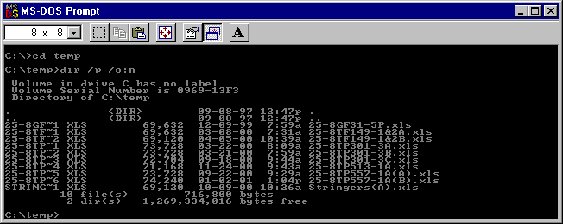
5. This will list files and, /p, will pause the screen so all files can be viewed.
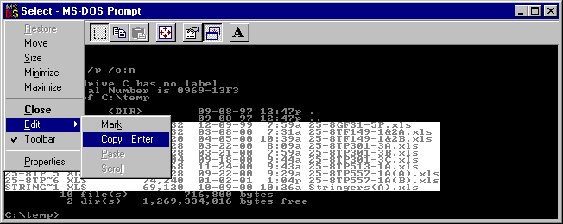
6. Left or right click on MS-DOS prompt icon in top left of Dos screen.
7. Go to Edit/Mark Highlight area you want to print, as shown in white, then go to Edit/Copy.
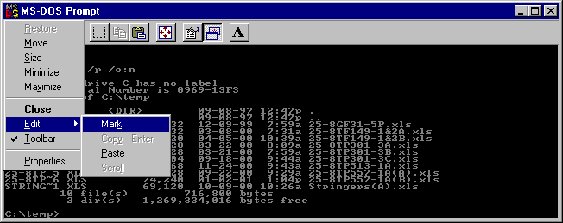
8. Open Word or Notepad and right click on empty screen on chosen software and choose paste.
9. Return to DOS screen and press return and the next set of files will be displayed. If all the files are displayed on one screen this is not necessary. The reason to pause the screen is so you can copy a screen one by one to list all files in a directory.
10. Repeat steps 6-8.
Richard Starr
Production Engineer